Orbit AI Knowledge Base
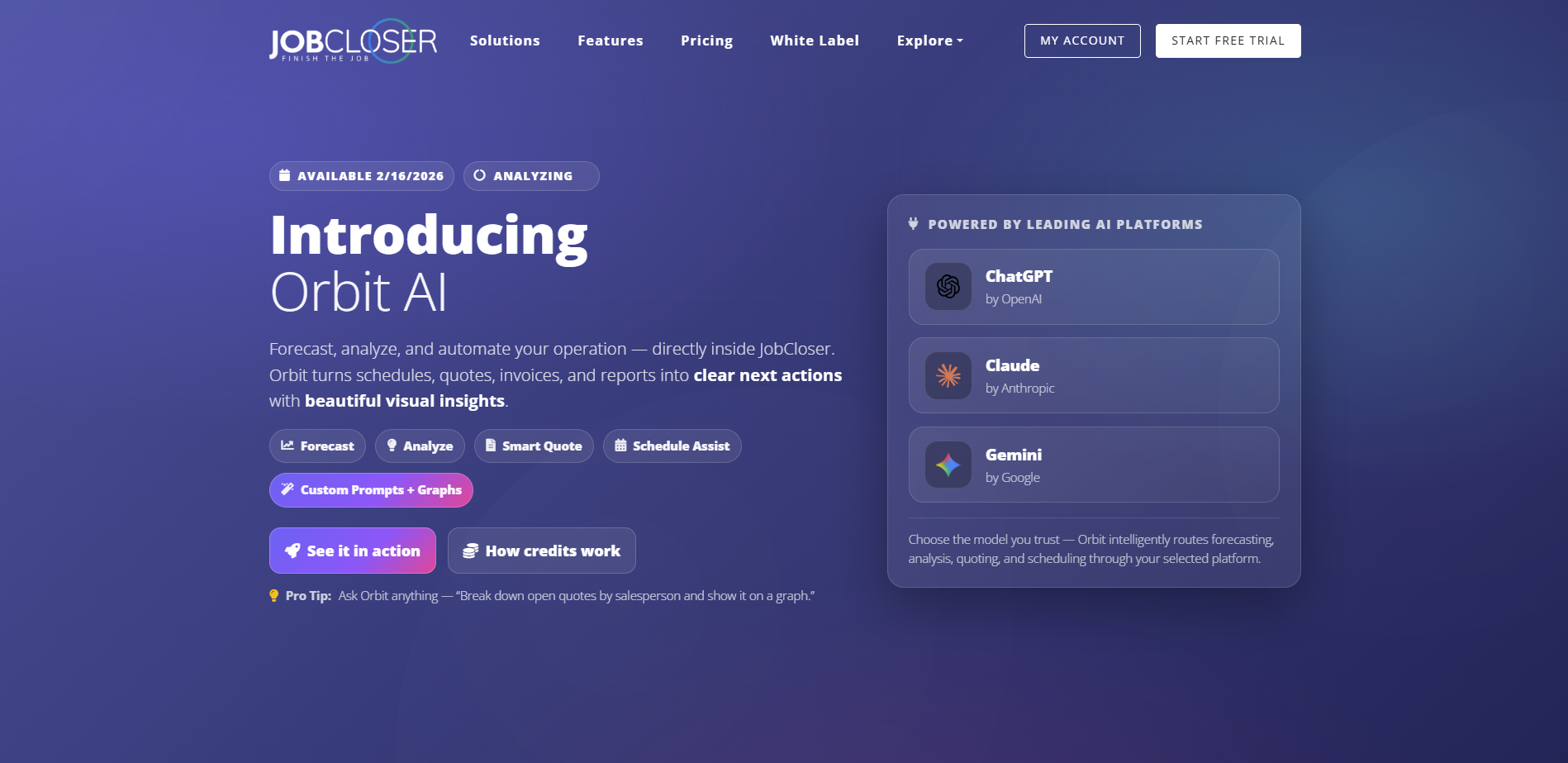
Forecast, analyze, and automate your operation directly inside JobCloser. Orbit turns schedules, quotes, invoices, and reports into clear next actions with beautiful visual insights.
Forecast, analyze, and automate your operation directly inside JobCloser. Orbit turns schedules, quotes, invoices, and reports into clear next actions with beautiful visual insights. Orbit is tightly integrated with all the big AI players: ChatGPT, Gemini, and Claude.
Executive Summaries, Analysis & Forecast
Each of the workflow screens (Dashboard, Leads, Customers, Quotes, and Invoices) have an "Analyze" button in the top right corner. When clicked, it will produce an executive summary for your review. This will likely include actionable recommendations, risk analysis (based on amount owed), and much more. You'll be allowed to ask follow up questions, but just make sure they're about the data you have displayed on the screen.
Optionally you can click the down arrow next to "Analyze" to just ask a question. These can be simple questions like "How many open quotes do I have per salesperson?"
Smart Quote
This tool is changing the game. Upload PDFs of floor plans, site plans, or POs to have the system automatically create a quote with all the line items. You can optionally select a template if you would like your quote to always have a specific set of line items. For instance, let's say you're a plumbing subcontractor. You can define a template with line items for your plumb drops (toilets, showers, sinks, water heaters, etc). Then upload a PDF of the floor plan and ask Orbit AI to generate an accurate quote factoring x% of product waste.
Don't want to use templates, no problem. Just upload your PDF / CSV files to generate a quote in seconds.
Schedule Assist
When scheduling your jobs on the calendar, you no longer have to think, let Orbit AI do the hard part to figure out where a job can fit on the calendar. To do this, navigate to any job, click "Schedule", then Propose Days / Times. This will give you 3 time slots to choose. Simply click the time slot that works best for the work being performed.
Don't forget to click "Preferences" to set custom values for Orbit to factor:
- Preferred Crew
- Preferred Day / Time
- Estimated Completion Time
- Notes - ie: avoid lunch break, ignore weekends
Suggest Message
Want to send a quote / invoice with a personal touch? Let Orbit AI draft you a personalized email / text message when sending the following:
- Quotes
- Invoices
- Customer Statement
Navigate to any quote, invoice, or customer and click Actions > Send Quote Via Email or Text Message. Then click "Suggest An Email." Orbit will have the context of the line items you are performing so it can craft a tailored message about the work being performed. You can click "Preferences" to enter a custom prompt for Orbit AI to write the email with certain verbiage. For instance, when sending a 90+ day old invoice, you can enter a custom prompt telling the system to subltly and tactfully let the customer know it will be sent to collections if no further payment is received.
Knowledge Base
Need help navigating the app, you can ask a question anytime by clicking the Orbit icon in your nav bar at the top of the screen (or click Learn More > Knowledge Base from any analysis). Ask a question like "How do I add a product or service?" to get a step by step guide on navigating the JobCloser app.
Changing Platforms
If you're interested it trying different models to see different style of answers, you can click My Orbit > Change Platform and select from one of the three platforms below:
- Google Gemini
- OpenAI ChatGPT
- Anthropic Claude
How do Credits Work
Orbit AI is a Pro-only feature that runs on simple, predictable credits. Think of credits as your “actions” each time Orbit does something meaningful for you, it costs 1 credit. Pro subscriptions come with 40 credits per month and you can optionally buy more credits if you find yourself needing to do more with AI.
Orbit AI Usage
We have tools built in to track how you are using your credits. Navigate to My Orbit > Usage History to see how you and your staff are consuming credits.
Important Information
While JobCloser strives for perfection, the power of AI can sometimes produce unpredictable results and can make mistakes. Please check for accuracy. We value your feedback. At the bottom of each prompt, you can thumbs up / thumbs down the response as a good or bad response. We encourage you to tell us how we're doing.
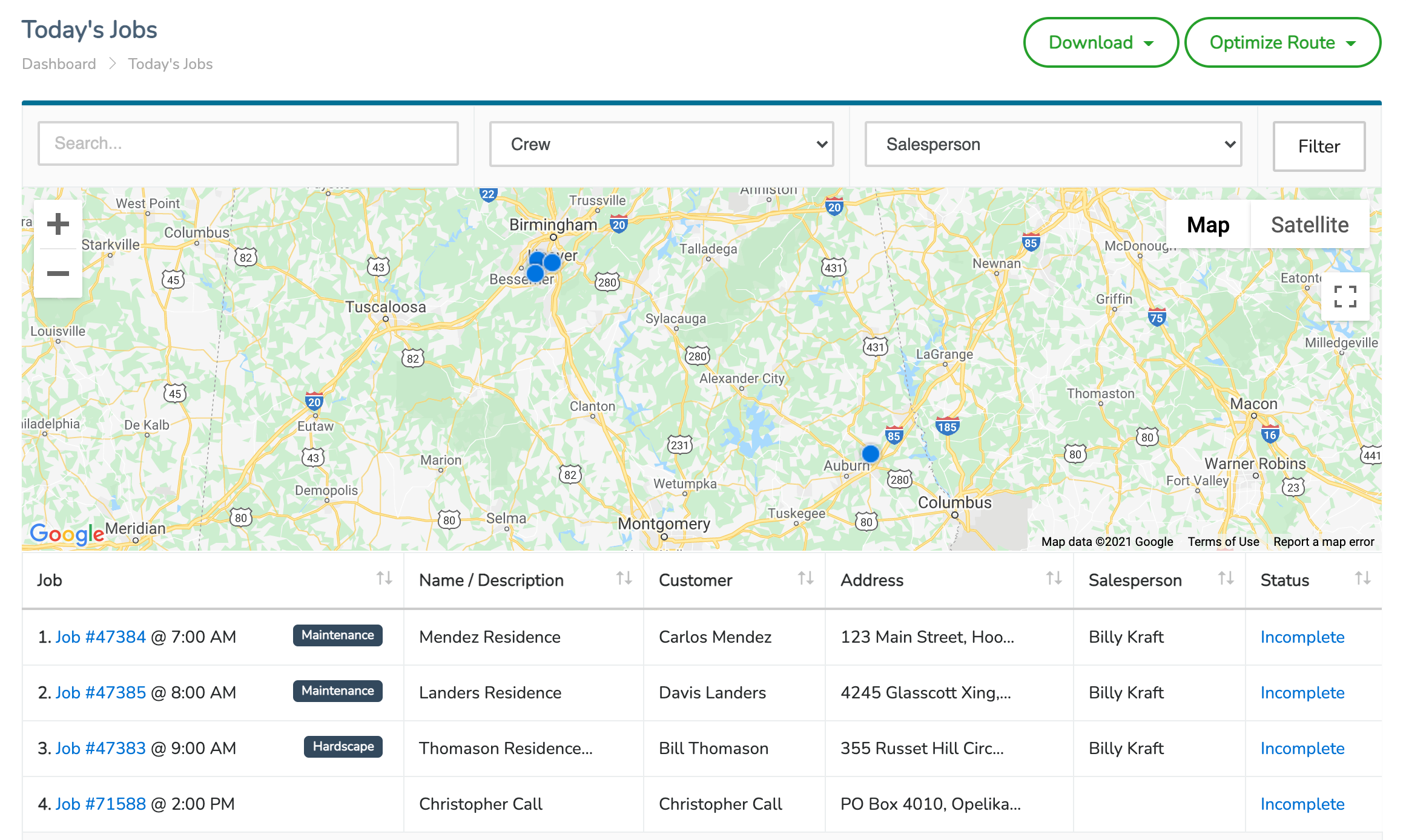
JobCloser’s route optimization software takes the time out of routing by using Google Maps to order your team’s jobs in the most time-effective way. All you have to do is input the addresses of your jobs and follow the directions given in the JobCloser app.
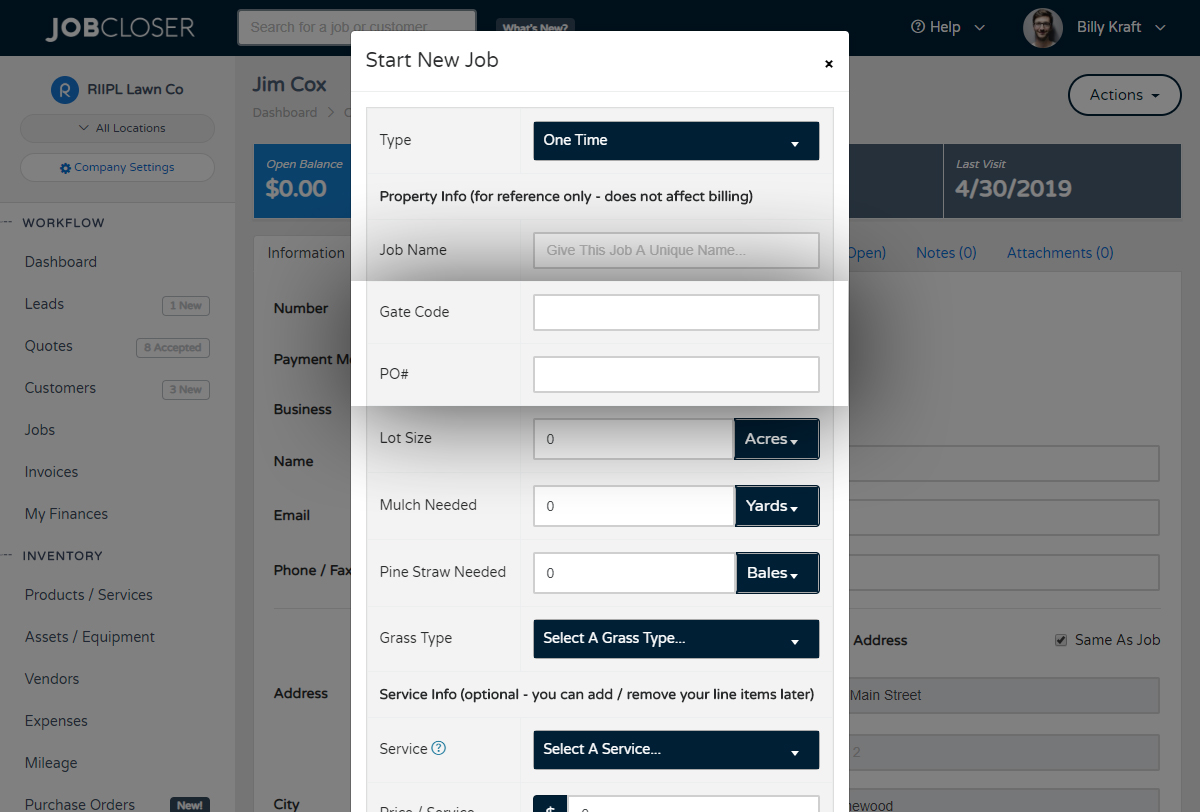
Need to create a custom field to capture specific values that are unique to each job? Navigate to your Company Settings > Application Settings tab to setup custom fields for your leads, customers, and jobs
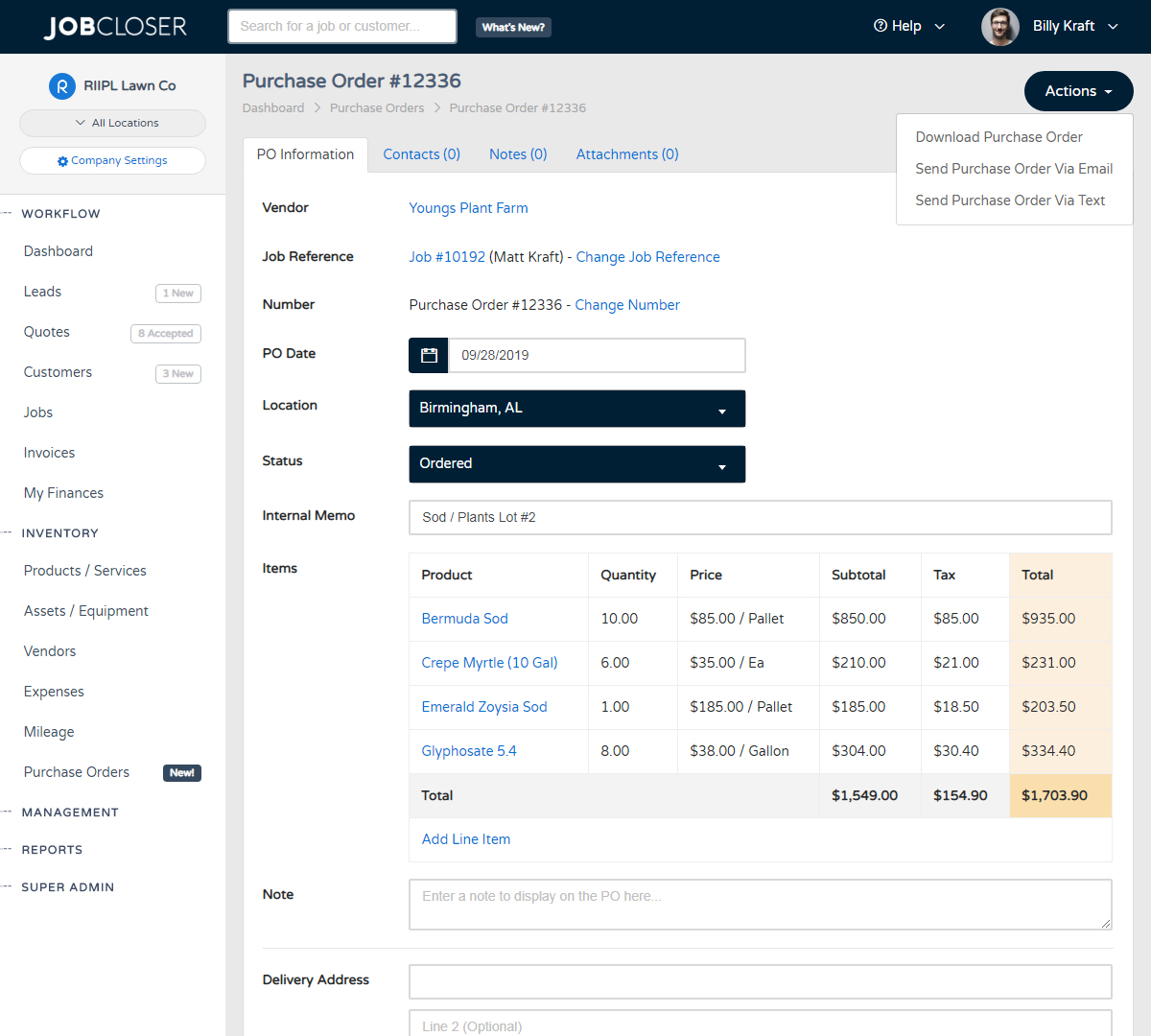
Quickly and easily generate purchase orders for your vendors and track the status all the way through delivery. JobCloser gives you tools to send via email and text directly from your phone.
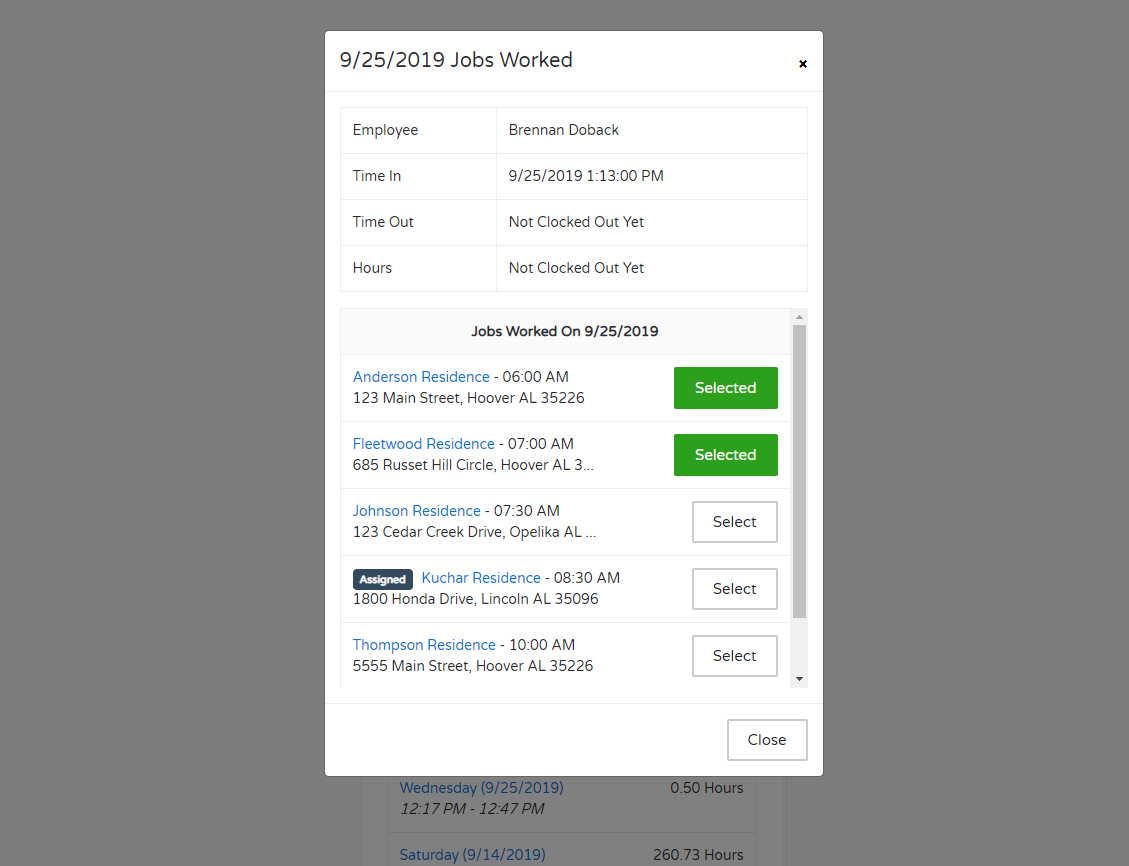
Have your employees select which jobs were worked each day from the employee portal. Admins can also manage these assignments from the "Time Management" module. Time sheets will also reflect the number of jobs worked for the day


More JobCloser
Mobile Apps
Designed for subs on the go, you can manage your entire operation directly from the field. Download the app on your device today.