The General Contracting Quote-to-Cash Workflow Guide Knowledge Base
Master the full lifecycle from quote to payment. This guide shows general contractors how to streamline every step and stop leaving money on the table.
What Is the Quote-to-Cash Workflow for General contractors
The quote-to-cash workflow is the entire journey from the moment you send a customer a quote to the moment their payment lands in your bank account. For general contractors, this journey involves estimating, quoting, getting approval, scheduling the job, managing materials and labor, completing the work, invoicing, and collecting payment. Every step in this chain is an opportunity for efficiency or for delay, error, and lost revenue.
Most general contractors do not think about their business as a workflow. They think about it as a series of tasks. But when you see the connections between quoting, scheduling, job execution, and payment collection, you start to find the bottlenecks that are slowing everything down and the gaps that are costing you money.
Stage 1: Build and Send Professional Quotes
The workflow starts with the quote. When a potential customer needs general contracting work, you assess the scope, calculate your costs for lumber and steel, concrete and masonry, labor, and overhead, and present a professional estimate. Speed matters here because the first general contractor to deliver a clear, professional quote often wins the job. Using templates and software to accelerate quoting gives you an edge over competitors who are still building estimates by hand.
Your quote should include a detailed scope of work, pricing breakdown, timeline, and payment terms. When customers receive a polished, complete proposal, they feel confident in your professionalism and are more likely to approve quickly.
Stage 2: Convert Quotes to Scheduled Jobs
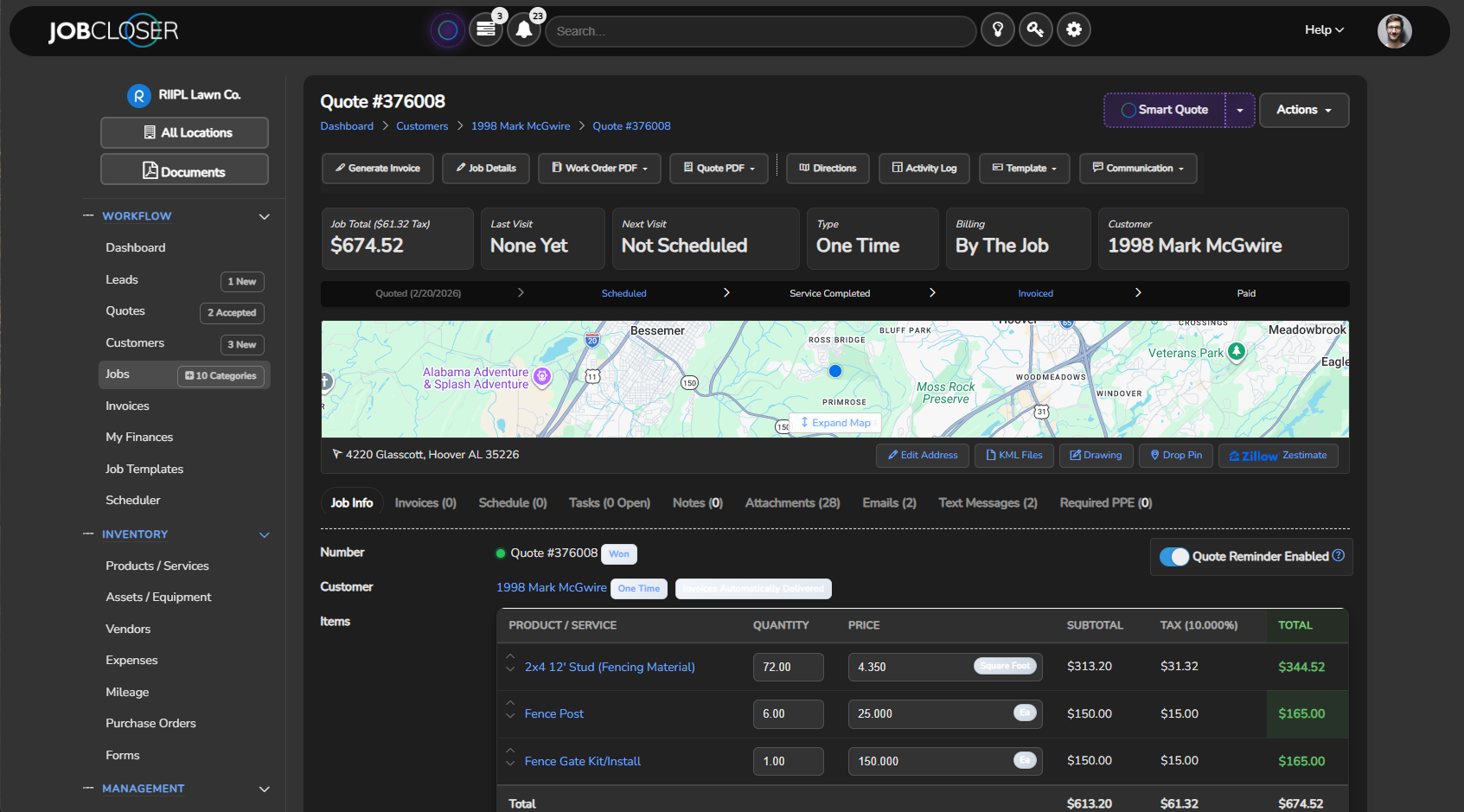
Once the customer approves the quote, the next step is scheduling. The transition from approved quote to scheduled job should be seamless. If you are re-entering information from the quote into a calendar or project management tool, you are wasting time and introducing errors. The best systems let you convert an approved quote into a scheduled job with a single click, carrying all the details forward.
- Convert approved quotes to scheduled jobs without re-entering data
- Assign the job to a crew and add it to the calendar immediately
- Notify the customer of their scheduled date with an automatic confirmation
- Attach relevant documents, notes, and photos to the job record
- Pre-stage material orders for lumber and steel and mechanical and electrical materials based on the approved quote
Stage 3: Execute the Job and Track Costs
During the job, track your actual costs. Log labor hours, material usage, and any unplanned expenses. For a project like a custom home build, this real-time tracking gives you the data you need to compare against your original estimate and understand your true profitability. It also protects you if a customer disputes a change order or additional charge.
Execution is where the challenge of subcontractor coordination and scheduling delays often surfaces and where permit and inspection timelines that slip can create delays. Having a system that captures these realities in real time means you have an accurate record and can adjust future estimates accordingly.
Stage 4: Invoice and Collect Payment
When the job is done, invoice immediately. Generate the invoice directly from the completed job record so all details are accurate and consistent. Include a digital payment link so the customer can pay in seconds. The faster you close the loop from completed work to collected payment, the healthier your cash flow and the less time you spend chasing money.
JobCloser connects every stage of the quote-to-cash workflow into one seamless platform built for general contractors. Leads become quotes, quotes become scheduled jobs, jobs become invoices, and invoices become payments, all from a single system. There is no re-entry, no manual handoffs, and no gaps where things fall through the cracks. Orbit AI accelerates the entire process with Smart Quoting, Schedule Assist, and Message Assist.
Close the Loop and Keep the Cash Flowing
A smooth quote-to-cash workflow is the backbone of a profitable general contracting business. When every step is connected and efficient, you complete more jobs, invoice faster, and collect payment sooner. Sign up for JobCloser and build the workflow that turns every lead into revenue without the friction, delays, and lost opportunities that hold so many general contractors back.
Learn proven strategies for pricing handyman jobs that protect your margins and win more work. Stop guessing and start quoting with confidence.
Discover the most common handyman estimating mistakes and learn how to fix them before they eat into your bottom line.
Improve scheduling efficiency for your handyman business with practical tips that reduce downtime, cut windshield time, and increase daily output.
Follow these invoicing best practices for handyman services to get paid faster and maintain professional client relationships.


More JobCloser
Field Service Mobile Apps
Run your field service business from anywhere. JobCloser mobile apps help your team manage quotes, schedules, jobs, invoices, payments, and customer updates directly from the field.


Try JobCloser Free
Field service management software with quoting, scheduling, invoicing, payments, CRM, and built-in AI. No credit card required. Cancel any time.
Start Free Trial